You know the moment. The hall fills up around eleven, thousands of phones fight for the same antennas, and the app you rely on starts spinning. Offline badge scanning is what keeps the queue of visitors from turning into lost leads.
This page explains exactly what ScanLead does without a network, what it does not do, and how to prepare your phone so that the busiest hour of the show is not the one where you stop capturing.
What keeps working offline
Open ScanLead while you still have a connection, ideally in the morning before the doors open, when the hall is still empty and the network is fast. Then relax. If the network drops afterwards, two capture methods keep working. You can scan a badge QR code that contains a vCard, a MeCard or a JSON contact, and you can type a contact in by hand with its status and note.
In both cases the lead is saved on your phone and placed in a queue. A small counter shows how many contacts are waiting, so you always know that nothing has been lost. You keep working as usual, and the visitor in front of you does not notice anything.
What needs a connection
Cards are different. Reading a business card photo is the one method that needs the network, because the image is sent to the server to be read and the result comes back to your phone a moment later. If you try it offline, ScanLead tells you and suggests typing the contact in instead, which is then kept on the phone like any other offline entry.
Creating a new event also needs a connection. That is why it helps to create the event before the show starts, while the hall is still quiet, and to look at your statistics once you are back at the hotel or the office.
How the sync works
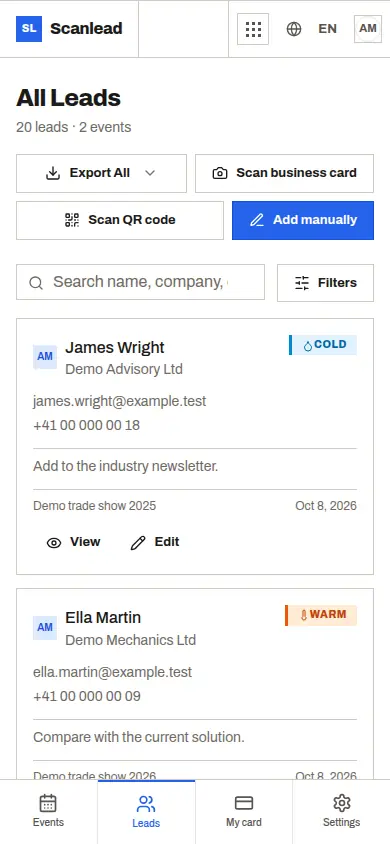
As soon as the phone is back online, ScanLead sends the queued leads to your account. It also checks every 30 seconds while the app is open, and you can tap the counter to try straight away. When the sync succeeds, a message confirms that your offline leads have been uploaded, and they appear in the event's list with the rest of the team's contacts.
Nothing is lost. Each queued lead is stored on its own, so a problem with one contact does not block the others. If the phone stays offline until the evening, the leads simply wait. Keep the app installed and do not clear the browser's data before the sync, since that is where the queue lives.
A checklist for the morning of the show
- Open ScanLead with a connection and check that the event of the day is there.
- Scan a colleague's badge to see whether the show's QR codes contain contact data.
- Keep the phone charged, since the camera is busy all day.
- If the badges only hold an ID number, plan to type contacts in or to photograph cards once you are back online.
Number-only badges are the case where no phone app can help, online or offline. The organizer's scanner reads them, and we compare both approaches in Alternative to the organizer's badge scanner.
The rest of the tool
That is one part. Every lead belongs to an event and gets a hot, warm or cold status, the whole team shares the list, and the export to CSV or Excel is ready after the show. ScanLead is free, with every feature included, no credit card and no limit on scans or members, in the browser or in the iPhone and Android apps.
For the scanning side in general, read Badge scanner app. If you want your leads in a CRM afterwards, CRMlead receives them automatically with the same Lead account, and Lead scanner app gives the wider picture.
Frequently asked questions
Does ScanLead scan badges offline?
Yes, once the app is open. Badge QR codes with a vCard, MeCard or JSON contact are read without a network, and the lead syncs when the connection returns.
Can I read business cards offline?
No. Reading a card photo needs a connection. Offline, type the contact in by hand, and it is kept on the phone until the sync.
What happens if I close the app before the sync?
The pending leads stay stored on the phone and are sent the next time you open ScanLead with a connection. Do not clear the browser's data before that.
Do my colleagues see offline leads?
They see them as soon as your phone has synced, in the shared list of the event.
Is ScanLead really free?
Yes. Every feature is included for each workspace, with no credit card, no subscription and no monthly cap on cards, badges or team members.