With two, three or five people on a stand, the problem changes. Everyone collects cards in their pocket, takes notes on their own phone, and the following Monday nobody knows who is supposed to call whom. Worse: two salespeople follow up the same visitor, while another contact is still waiting.
This page describes what a small team needs to put in place so that a show ends with a single clean list, and how Scanlead does it.
What happens without a shared tool
- Duplicates: the same visitor comes by the stand twice and talks to two people.
- Lost context: the note taken by whoever had the conversation stays in their notebook.
- No one in charge: everyone thinks someone else will follow up.
- Files to merge: three different exports, three different layouts, an evening wasted.
What a stand team needs
- One list per show, shared live: what one colleague enters appears for the others.
- The author of each contact: to know who had the conversation and who follows up.
- Simple permissions: an owner, administrators, members.
- A single export at the end of the day.
How Scanlead organises it
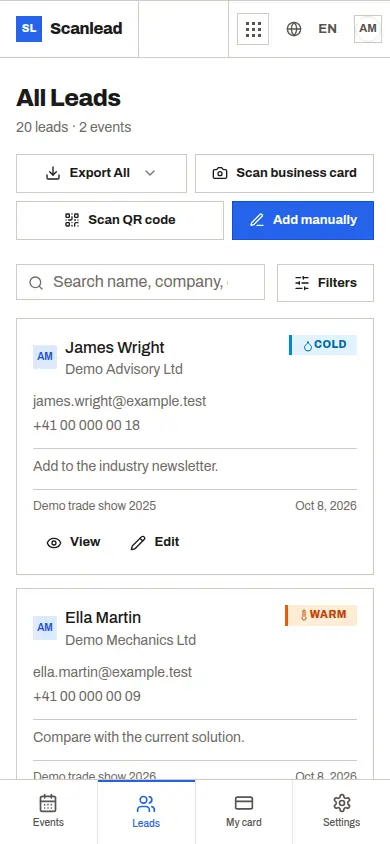
A team space for up to five people with the Pro+ plan (€39 excl. VAT per month, no commitment). You invite your colleagues with a code; they join the space from their phone, even from the home screen.
Every contact carries its author. In the list and in the export, the "Added by" column shows who met the visitor.
Clear roles. The owner manages the subscription and the team; an administrator can invite and remove members, without being able to remove the owner; a member captures and edits contacts.
Everyone captures the same way: photographed business card, badge QR code, or manual entry, with hot, warm or cold qualification and a note.
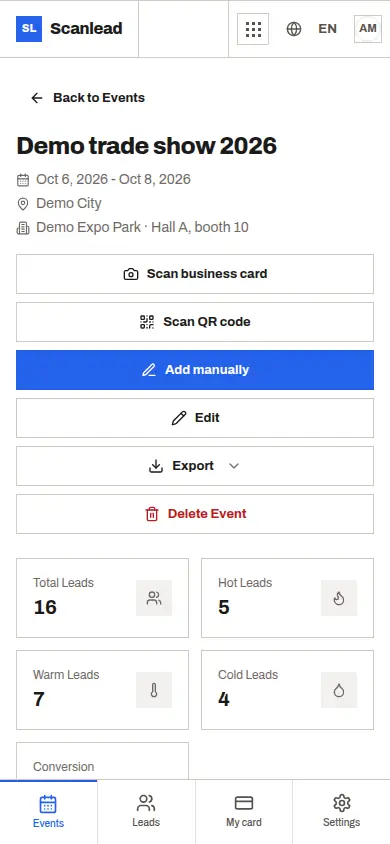
The show statistics show the number of contacts, their breakdown by temperature and the comparison between shows.
A single CSV or Excel export for the whole show, with headers in the user's language.
Good to know
- Someone who already has a personal Pro subscription cannot join a team without cancelling it first: Scanlead refuses rather than delete their paid space.
- When a member leaves the team, the shows and contacts created for the team stay there.
- Beyond five people, Scanlead is not the right tool today: solutions such as snapADDY Enterprise are aimed at teams of ten users or more. See snapADDY alternative.
Organising the day as a team
- Before the show: create the trade show in the team's space and have each colleague join with the invitation code, from their own phone, before you reach the stand.
- One shared rule for hot, warm and cold: without it, the same visit gets rated differently depending on who takes it.
- During the show: write in the note what was promised and who follows up, so the colleague who picks up the contact knows where the conversation stands.
- In the evening: one export for the whole show; everyone reviews their own contacts, sorted by the "Added by" column, and completes their notes while memory is fresh.
After the show
Split the follow-ups by author, starting with hot contacts. To get the contacts into your CRM and follow them up: Trade show leads to your CRM.